Proxmox - Increase disk space

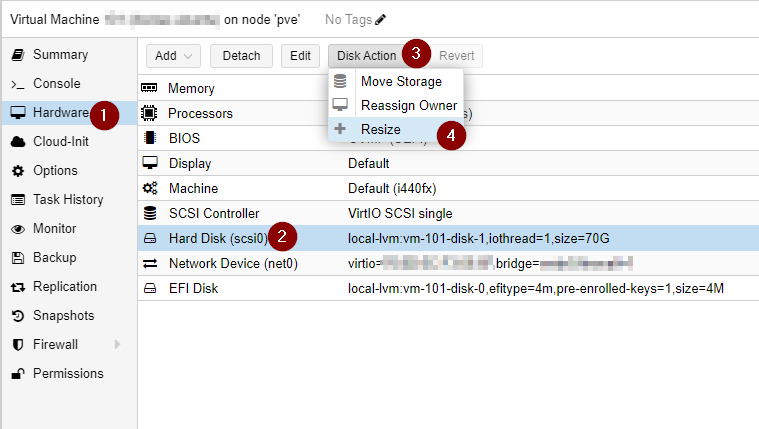
In the proxmox UI select the following steps:
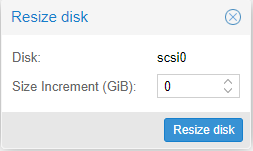
Introduce the amount of extra space required:
Access the shell via SSH or console in proxmox and run the below commands:
Check for the Disk/Partition to increase:
sudo lsblk -o NAME,TYPEThis means we will increase the partition size for the /dev/sda for partition 2
sudo growpart /dev/sda 2Finally we will set to utilize the full extend of the size for that partition:
sudo resize2fs /dev/sda2